Control workspace
Company, project, worker, staff, JKKP12, live monitoring, reports and alerts are linked to the project.
 Rimays Safety AI
A commercial AI safety platform for project control, worker identity, live monitoring, Ask AI, vision analysis, HIRARC V2, CDM documentation, supervisor alerts and verified model training.
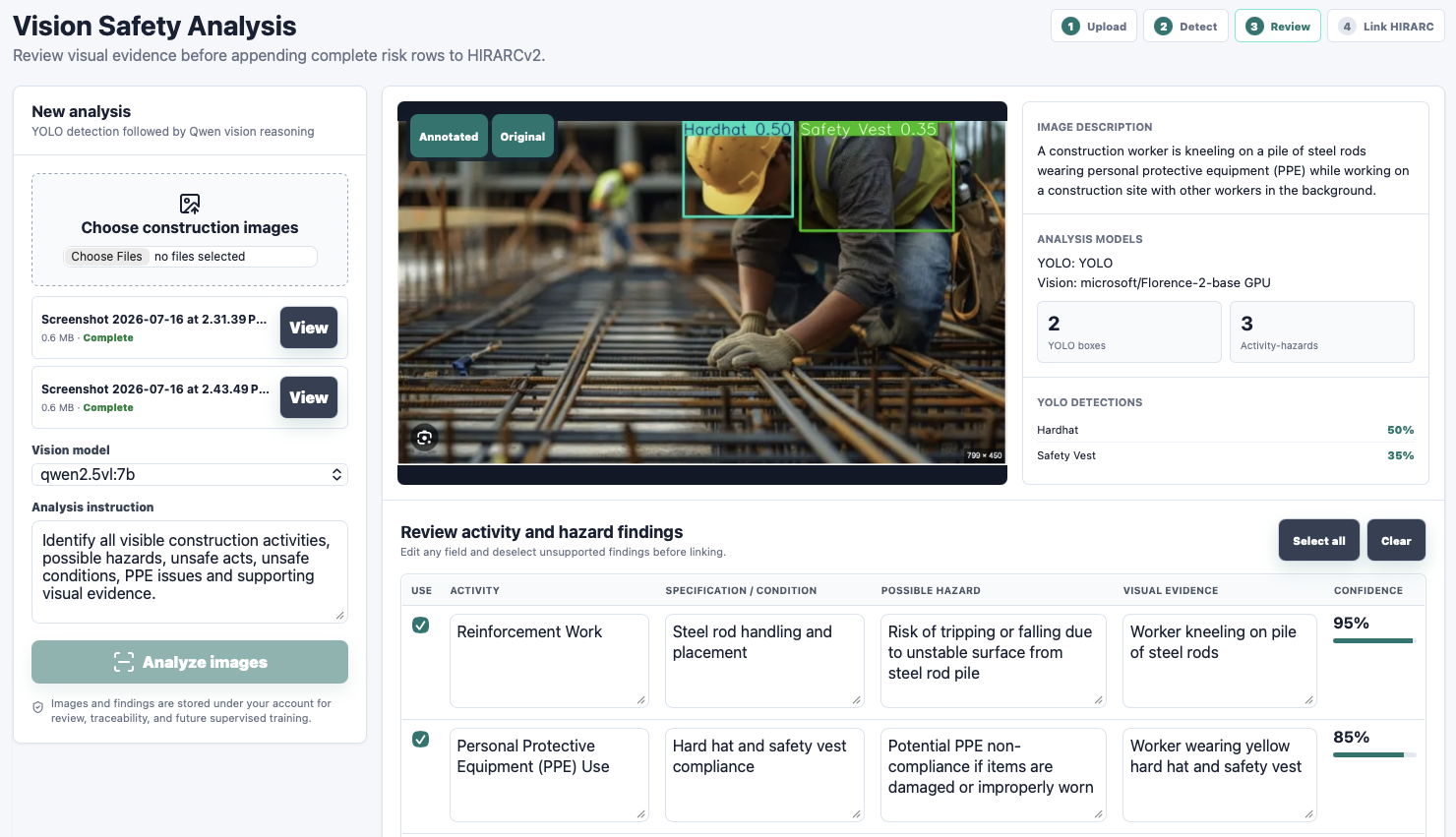
Rimays Safety AI connects company roles, project teams, live evidence, worker identity, AI review, HIRARC, CDM 2024 documents, alerts, reporting and dataset training in one controlled workspace.
Company, project, worker, staff, JKKP12, live monitoring, reports and alerts are linked to the project.
Ask AI and Vision AI support DOSH, construction safety, image reasoning, HIRARC linking and response rating.
Verified annotations, reviewer assignment, dataset folders and evaluations help create new detection capability.
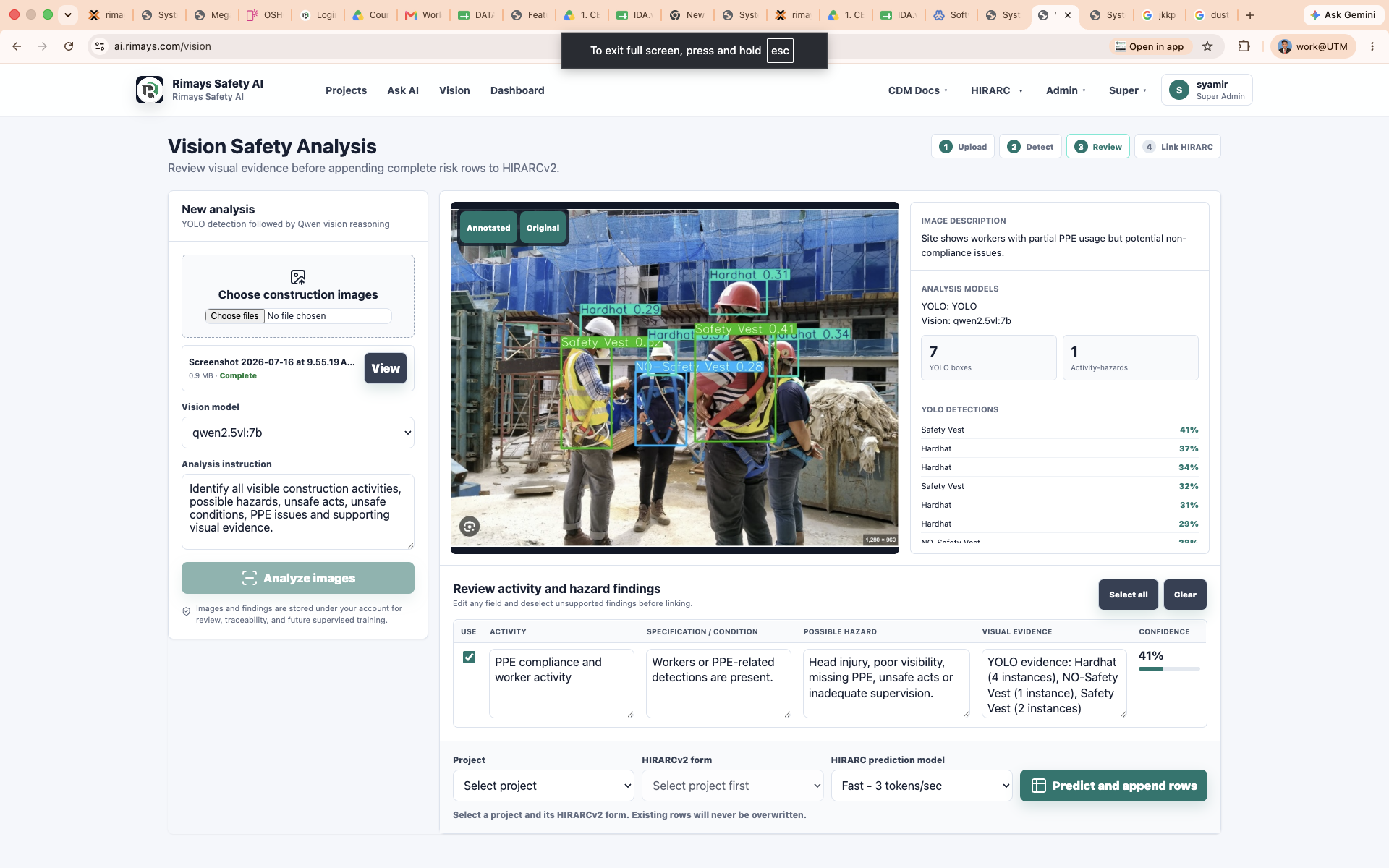
Built around CDM 2024, HIRARC, GPP controls and duty-holder perspectives.
Users can select, edit and approve findings before records are saved.
Dashboards, live history and event links keep project teams aligned.
Each project becomes the operational hub for worker registration, company management, project members, JKKP12 notification, live detection, reporting and alerts.
People, PPE, worker identity, unsafe conditions, activities, equipment and project-specific object classes.
Live history, clickable workers, event pages, activity findings, PDF records and HIRARC links.
Email and Telegram alerts with worker name, date, time, location, project and non-compliance type.
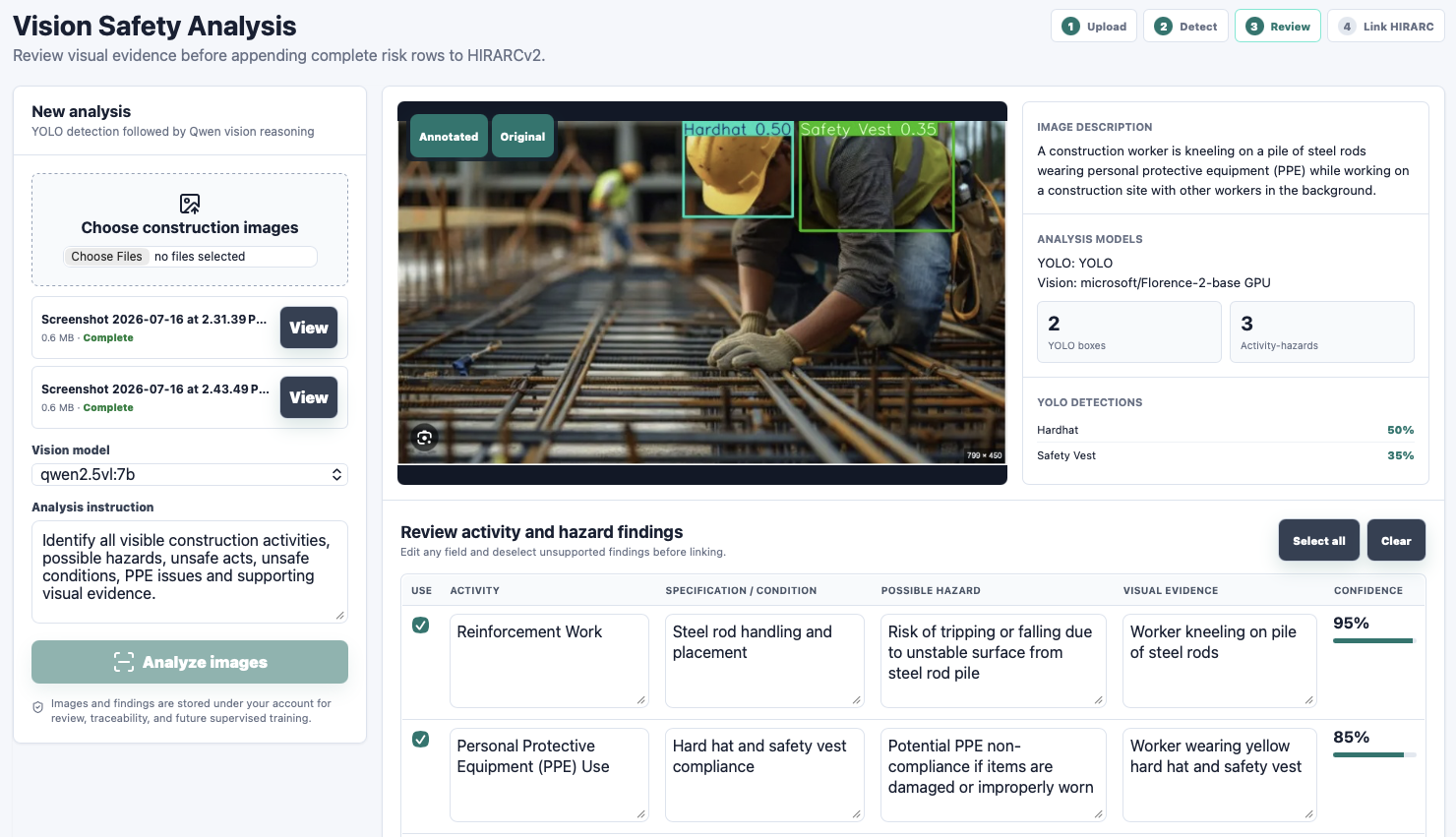
Ask AI supports DOSH and construction safety questions, while Vision analyses photos and videos to produce editable findings that can be linked to HIRARC V2 and reports.
Construction safety assistant grounded in DOSH, CDM, HIRARC and uploaded knowledge.
User questions, corrections, response ratings and useful answers help expand the knowledge base.
Detect objects, describe activities, identify hazards, record evidence and link findings to HIRARC V2.
Save visual evidence, image descriptions, detections, reviewed hazards and project-linked reports.
The dashboard is the continuous learning control centre: review labels, assign reviewers, approve classes, evaluate model performance and create new detection capability from real site evidence.
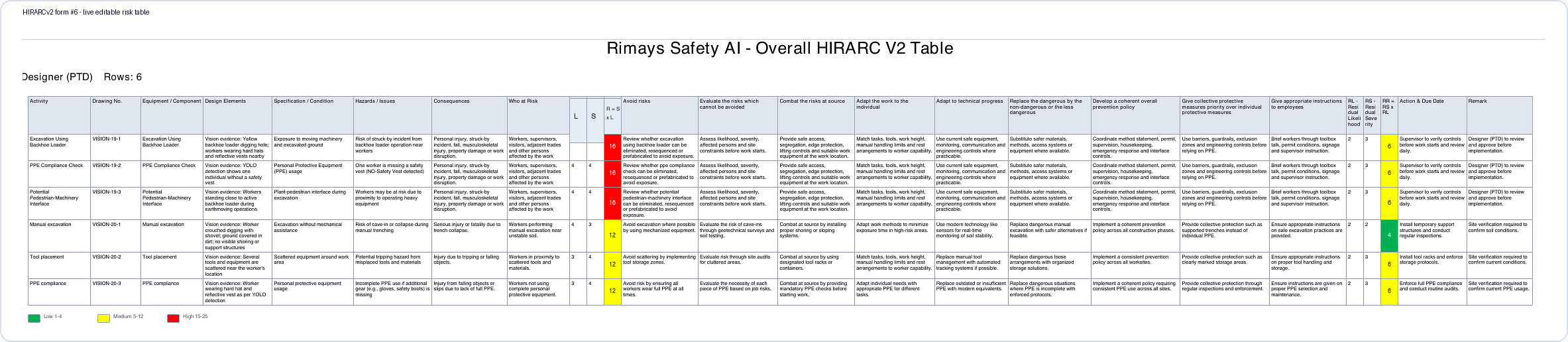
CDM Docs V2 and HIRARC V2 convert project information, visual evidence and AI suggestions into editable, reviewable and printable safety records.
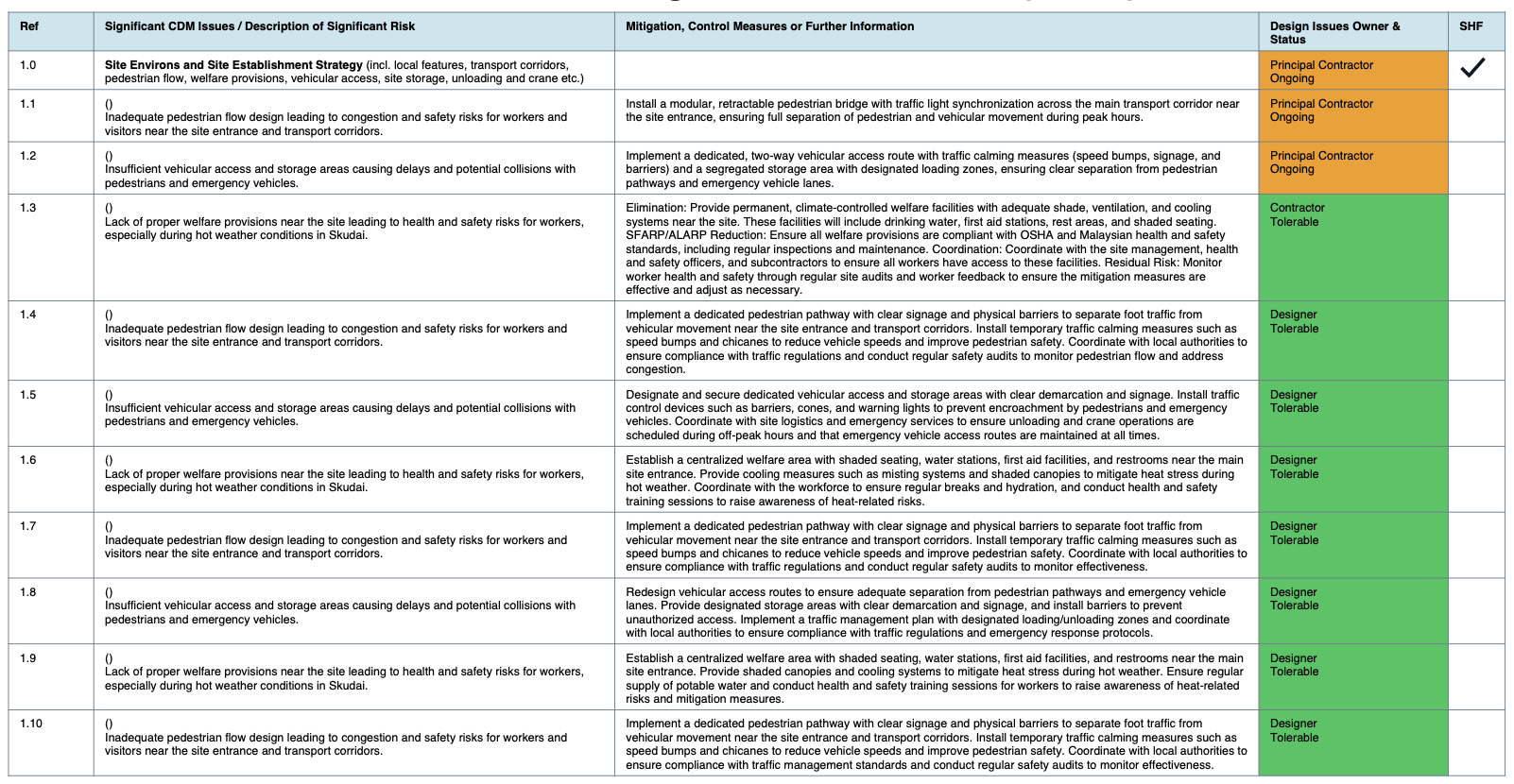
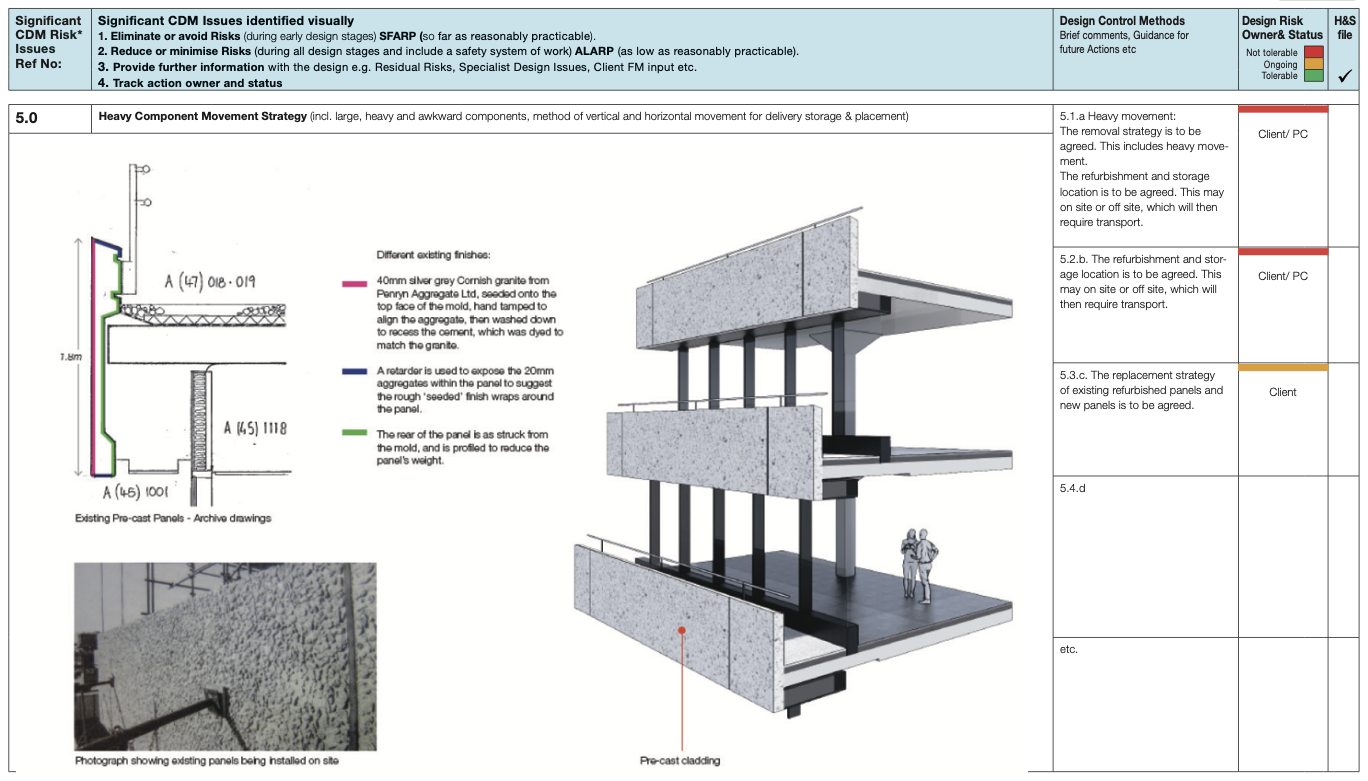
CDM1-CDM7, CDM3A, CDM3B, CDM3C, PCI, CPP, Client Brief and SHF are linked to the project record.
Create form, choose role, generate activity, predict hazards, fill L/S/R, GPP1-GPP9, residual risk and action.
AI-generated rows are added below existing saved rows. Users can edit, save, update, delete and export.
Client, designer and contractor perspectives help separate legal authority, design-risk elimination and site execution controls.
Vision, live monitoring, photos, videos, CDM records and project context can be considered together.
Rimays Safety AI is designed to use existing site cameras and devices, scale by account usage, and improve as users verify new detection data.
| Decision factor | Rimays Safety AI | Typical closed safety monitoring product |
|---|---|---|
| Deployment model | Centralised web platform for projects, companies, users, AI, reporting and training. | Fragmented or site-bound system often tied to one vendor installation. |
| Equipment requirement | Can use existing phone, tablet, computer camera, virtual camera, IP camera or CCTV link. | Often requires special camera, edge box, server, NVR or complete hardware package. |
| Server ownership | No need for the customer to maintain a dedicated AI server for normal usage. | Customer may need to buy, host, cool, secure and maintain a local server. |
| Company size | Suitable for SME, single project teams, consultants and large multi-project organisations. | Often priced and deployed mainly for large sites with higher upfront budget. |
| Upgrade model | Upgrade based on usage: Basic, Plus, Pro and Enterprise. | Often requires buying another module, device, camera license or full package. |
| New detection capability | Easy to add labels, assign reviewers, approve datasets and train new detection classes. | New detection capability can be slow, vendor-dependent and expensive to customise. |
| Learning model | Open learning loop: the more verified users and data, the smarter the model becomes. | Closed system: customer data may not improve the product without vendor intervention. |
| Documentation workflow | Connects detection to HIRARC V2, CDM1-CDM7, JKKP12, alerts and PDF reporting. | Often focuses only on detection dashboard or camera alerts. |
Comparison is positioned as a commercial model comparison. Exact competitor pricing varies by vendor, hardware specification, camera count, installation scope and support contract.
Plans control capacity, collaboration, storage, AI tokens and retention while keeping critical safety notifications available. Super Admin can also manage affiliate rewards, upgrade codes and API products.
| Plan | Price | Best for | Projects | Users | Workers | AI tokens | Storage |
|---|---|---|---|---|---|---|---|
| Basic | Free | Trial and evaluation | 1 | 2 | 10 | 50 | 5 GB |
| Plus | RM99 RM30/month | Small project teams | 5 | 10 | 100 | 5,000 | 200 GB |
| Pro | RM499 RM300/month | Multi-project operations | 50 | 100 | 2,000 | 50,000 | 2 TB |
| Enterprise | Custom | Large organisations and white-label deployment | Custom | Custom | Custom | Custom | 20 TB |
Referral rewards for Basic resets, Plus subscriptions and Pro subscriptions.
Super Admin can generate free or paid upgrade codes and share claim links.
External apps can connect to selected capabilities such as ANPR, logo creation and video generation APIs.
White-label reporting, API access, storage, SLA, custom retention and dedicated deployment.
Rimays Safety AI helps teams capture real site evidence, review AI findings, assign action owners and produce professional safety records.
Better project visibility, duty-holder coordination and traceable safety decisions.
Design-risk thinking connected to CDM registers, HIRARC and residual-risk records.
Site monitoring, alerts, worker identity, visual evidence and action tracking in one workspace.
AI output is advisory and should be reviewed by competent persons before use as an official safety record. Package values are managed by Super Admin and may be adjusted for commercial offers.